Contents
- What is an ATS-friendly or ATS-compliant resume, and how does ATS work?
- How to make your resume ATS friendly? 9 rules
- 1. Keep the Resume Format Simple
- 2. Use Professional Fonts
- 3. Add Clear Section Headings
- 4. Include Relevant ATS Keywords
- 5. Follow Reverse-Chronological Order
- 6. Avoid Images, Tables and Graphics
- 7. Choose the Right File Format
- 8. Highlight Achievements, Not Just Responsibilities
- 9. Keep Information Honest and Updated
- How do you find ATS keywords in a job description?
- Are two-column, Canva or designed resumes ATS friendly?
- What is a good ATS-friendly resume format and template for freshers?
- Which ATS mistakes get resumes rejected?
- 1. Using a Generic Professional Summary
- 2. Listing Skills Without Supporting Evidence
- 3. Using Job Titles That Lack Clarity
- 4. Leaving Unexplained Employment Gaps
- 5. Exaggerating Skills or Experience
- 6. Focusing Only on Job Responsibilities
- 7. Ignoring the Actual Job Requirements
- How can you check if your resume is ATS friendly?
- What gets you shortlisted after the ATS?
- Frequently asked questions
A good resume can still get overlooked, even when the candidate has the right skills and experience.
For many job seekers, applying for jobs has become a routine of updating resumes, searching for openings and submitting applications. But even after applying to multiple positions, getting an interview call can remain difficult.
Sometimes, the problem is not a lack of qualifications. It is how those qualifications are presented.
Many companies use Applicant Tracking Systems to collect, organize and manage job applications. If a resume has complicated formatting, unclear sections or missing job-related information, it may become harder for recruitment software and recruiters to identify the candidate's qualifications.
This is where an ATS friendly resume makes a difference.
Creating one does not mean adding fake experience, stuffing keywords or making unrealistic claims. It means presenting real skills, qualifications and achievements in a format that hiring systems can read easily.
What is an ATS-friendly or ATS-compliant resume, and how does ATS work?#
An Applicant Tracking System is software that helps companies manage recruitment applications.
When a candidate applies for a job, the ATS stores the application and may extract information such as work experience, education, skills and contact details.
Recruiters can then use the system to search, organize and review candidates based on job requirements.
For example, a recruiter hiring a digital marketing executive may look for skills such as SEO, Google Analytics, content marketing and campaign management.
An ATS resume with clear headings and relevant skills makes this information easier to identify.
However, not every ATS automatically rejects resumes based on keywords. Many systems primarily help recruiters organize applications, while others include screening and ranking features.
The purpose of an ATS friendly resume is to make qualifications clear and accessible to both recruitment software and hiring managers.
In plain words, the ATS turns your file into text fields such as name, education, skills and experience, and recruiters then search and filter those fields. An “ATS-compliant” resume means the same thing as an ATS-friendly one: a file the software can read without errors.
How to make your resume ATS friendly? 9 rules#
Building an ATS friendly resume starts with the right structure, formatting and content. A well-organized resume makes it easier for recruitment software to identify relevant skills, qualifications and experience.
Following a few simple formatting rules can improve ATS compatibility while keeping the resume clear and professional.
Here are nine important rules to follow.
1. Keep the Resume Format Simple#
A clean, single-column layout is generally the safest option for ATS compatibility. Complicated designs, multiple columns and decorative elements may make resume information difficult for some systems to read.
A simple layout helps recruitment software identify important details without confusion. It also makes the resume easier for recruiters to review.
The focus should always remain on qualifications and experience rather than visual design.
2. Use Professional Fonts#
Choosing the right font is important for creating an ATS friendly resume. Simple fonts such as Arial, Calibri and Times New Roman are easy to read and widely supported.
Body text should generally remain between 10 and 12 points, while headings can be slightly larger.
Decorative fonts and inconsistent text sizes can make the resume look unprofessional. Consistent formatting helps maintain readability throughout the document.
3. Add Clear Section Headings#
Standard section headings help recruitment software recognize and organize resume information.
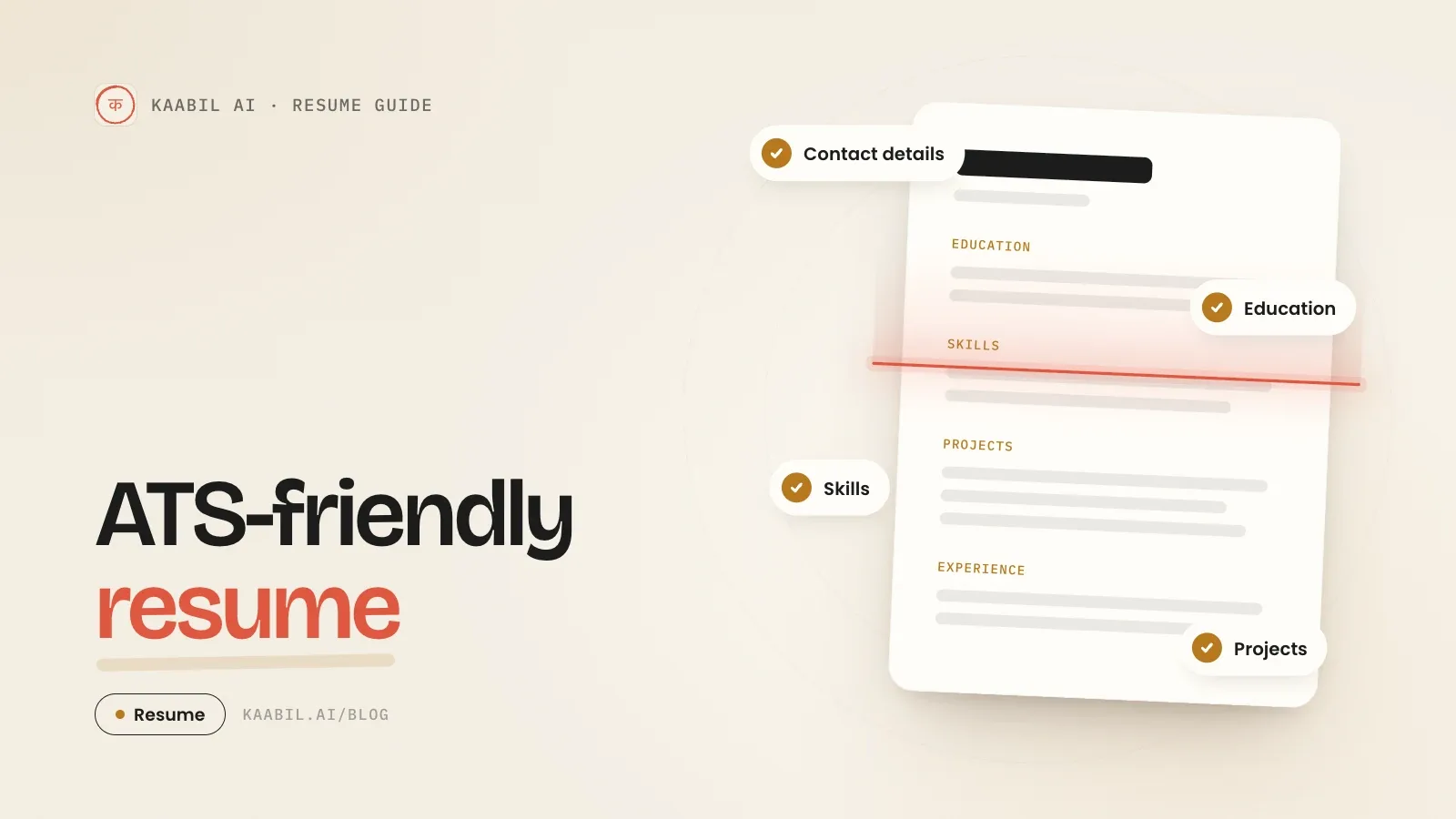
Headings such as Professional Summary, Work Experience, Education, Skills, Projects and Certifications clearly define each section.
Creative headings like "My Journey" or "What I Bring" may be less recognizable to some ATS platforms.Using familiar labels improves clarity for both software and recruiters. Each section should contain relevant and updated information.
4. Include Relevant ATS Keywords#
ATS keywords are the skills, qualifications and responsibilities mentioned in a job description. Including these terms naturally helps highlight how closely a candidate's experience matches the role.
For example, a marketing position may require SEO, Google Ads, keyword research and content strategy.
These resume keywords should appear in relevant sections when supported by actual experience.
Repeating keywords unnecessarily should be avoided, as accuracy and readability remain important.
5. Follow Reverse-Chronological Order#
A reverse-chronological resume lists the most recent work experience first, followed by earlier positions.
This format helps recruiters understand career progression, recent responsibilities and professional achievements. It also creates a clear employment timeline that many ATS platforms can interpret.Experienced professionals can prioritize relevant roles and accomplishments.
Freshers can highlight education, internships, academic projects and certifications to demonstrate their capabilities.
6. Avoid Images, Tables and Graphics#
Complex tables, text boxes, icons and graphics may create parsing problems in some ATS platforms. Important information placed inside these elements may not always be extracted correctly.
A simple, text-based ats cv format makes resume content easier to process.
Candidates should avoid unnecessary design elements and use standard headings with bullet points instead.
This approach keeps the resume professional and focused on relevant qualifications.
7. Choose the Right File Format#
Selecting the correct file format is another important part of creating an ATS resume. Most modern ATS platforms can process text-based PDF and DOCX files.
However, the format mentioned in the job posting should always take priority.
Scanned documents and image-based PDFs may create problems because the text cannot always be extracted accurately.
Before submitting, candidates should ensure that the resume text is selectable and properly formatted.
In short: send the format the employer asks for. If the job post does not say, send a text-based PDF.
In short: send the format the employer asks for. If the job post does not say, a text-based PDF or a .docx both work in most modern ATS; use PDF to keep your layout fixed.
8. Highlight Achievements, Not Just Responsibilities#
A strong resume should explain not only the work performed but also the results achieved. Listing responsibilities alone may not clearly demonstrate a candidate's contribution.
Adding measurable achievements provides stronger evidence of skills and experience.
For example, instead of writing:"Handled social media accounts."
A better statement would be: "Managed social media campaigns and increased engagement by 25% in six months."
Such achievements should always reflect accurate, verifiable results.
9. Keep Information Honest and Updated#
An ATS friendly resume should present genuine skills, qualifications and professional experience. Adding fake experience or claiming unfamiliar skills may create problems during interviews and skill assessments.
Candidates should regularly update their resumes with completed projects, certifications and relevant achievements.
Outdated or inaccurate information can reduce credibility during recruitment.
The goal is to improve how experience is presented, not exaggerate professional capabilities.
How do you find ATS keywords in a job description?#
A job description is one of the most useful resources for identifying relevant ATS keywords.
It explains the skills, qualifications and responsibilities that employers expect from applicants.
For example, consider a job opening for a Digital Marketing Executive.
Sample Job Description:
"We are looking for a Digital Marketing Executive with experience in SEO, Google Analytics, keyword research, content marketing and social media management. The candidate should also understand campaign performance and reporting."
The important keywords can be identified as follows:
Category | Relevant Keywords |
Job Title | Digital Marketing Executive |
Technical Skills | SEO, Google Analytics |
Core Skills | Keyword Research, Content Marketing |
Additional Skills | Social Media Management |
Reporting Skills | Campaign Performance, Analytics |
Once identified, these keywords can be included in relevant resume sections.
Before Optimization: "Worked on digital marketing activities and content."
After Optimization: "Conducted SEO keyword research, supported content marketing campaigns and monitored website performance using Google Analytics."
The improved version clearly communicates the tools and responsibilities involved.However, resume keywords should only be added when supported by actual experience, projects or training.An effective resume balances keyword relevance with accurate professional information.
An Indian fresher example: a data analyst job description in Bengaluru asks for SQL, Excel and Power BI. If you used them in a final-year project, map each keyword to a line that proves it.
Keyword in the job description | Resume line that proves it |
|---|---|
SQL | Wrote SQL queries to pull monthly sales trends for a final-year project |
Excel | Cleaned and merged a sales dataset in Excel before the analysis |
Power BI | Built a Power BI dashboard to present the results to faculty |
Are two-column, Canva or designed resumes ATS friendly?#
Often not, because of the layout rather than the tool. Columns, icons, skill bars, photos and text inside shapes can make the software read your resume in the wrong order, or skip parts of it.
A quick test works for any file: open the PDF, select all the text, copy it and paste it into Notepad or any plain text editor. If your name, headings, dates and bullet points come out in a sensible order, an ATS can usually read the file too. If sidebar text lands in the middle of your experience, switch to a one-column layout.
Canva is fine for an ATS-friendly resume if you choose a single-column template, keep every word as real text rather than part of an image, and use standard headings.
What is a good ATS-friendly resume format and template for freshers?#
Using an ats friendly resume template can make resume creation easier, especially for candidates unsure about formatting and section placement.
The ideal ats cv format should be simple, organized and relevant to the target job role.
- ATS-Friendly Resume Template for Freshers
Freshers may not have extensive work experience, but academic projects, internships and certifications can demonstrate relevant abilities.
Resume Section | What to Include |
Contact Information | Full name, phone number, email and LinkedIn profile |
Professional Summary | Education, relevant skills and career interests |
Education | Degree, institution and graduation year |
Skills | Technical and professional skills |
Projects | Academic or personal projects with outcomes |
Internships | Relevant training or internship experience |
Certifications | Completed courses and certifications |
For freshers, the focus should be on demonstrating knowledge, practical exposure and job-related capabilities.
- ATS-Friendly Resume Template for Experienced Professionals
Experienced candidates should highlight relevant work experience, measurable achievements and skills developed through previous roles.
Resume Section | What to Include |
Contact Information | Full name, phone number, email and LinkedIn profile |
Professional Summary | Experience, specialization and key achievements |
Work Experience | Previous roles, responsibilities and outcomes |
Key Skills | Job-related technical and professional skills |
Education | Qualifications and institution details |
Certifications | Relevant professional training |
Both templates follow a simple structure that helps recruitment systems and hiring managers understand qualifications.
The strongest ats friendly resume template is one that communicates relevant information without unnecessary design elements.
Which ATS mistakes get resumes rejected?#
Even a well-formatted resume may struggle to get shortlisted if it fails to communicate the candidate's qualifications effectively.
Beyond formatting, certain content mistakes can weaken an ATS friendly resume and reduce its relevance to a job opening.
1. Using a Generic Professional Summary#
A summary filled with phrases like "hardworking and motivated professional" says little about actual capabilities.A stronger summary highlights relevant experience, key skills and the type of role being targeted.
2. Listing Skills Without Supporting Evidence#
Simply mentioning skills such as SEO, Python or data analysis does not demonstrate practical knowledge. Adding relevant projects, achievements or work examples helps recruiters understand how those skills have been applied.
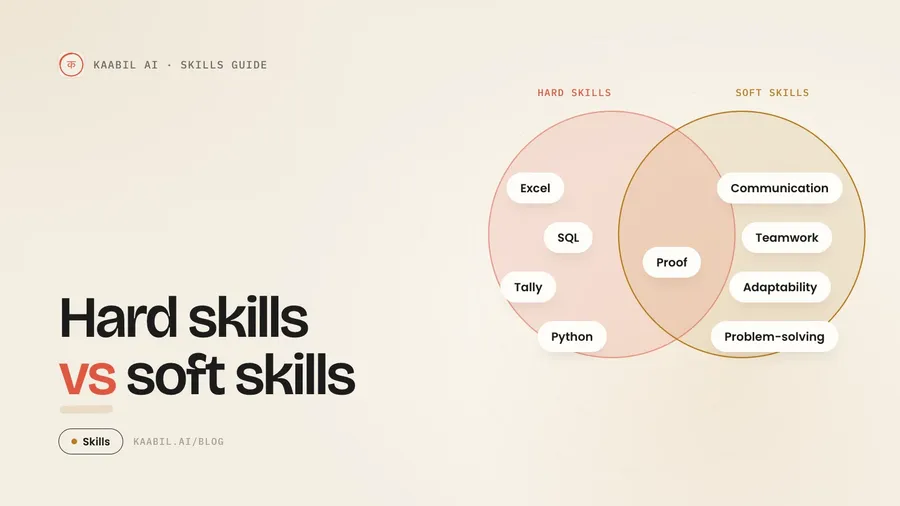
Our guide to hard skills and soft skills on a resume shows how to back each skill with a project, an internship or a test result.
3. Using Job Titles That Lack Clarity#
Unusual or internal job titles may not clearly communicate previous responsibilities.Using a recognizable job title alongside the official designation, where accurate, helps recruiters understand the candidate's experience.
4. Leaving Unexplained Employment Gaps#
Employment gaps are not automatically a reason for rejection, but unclear career timelines may raise questions. Relevant freelance work, certifications, career breaks or skill-development activities can help provide context where appropriate.
5. Exaggerating Skills or Experience#
Adding certifications, technical skills or achievements without genuine experience can create problems during interviews.An ATS resume should present accurate qualifications rather than focus only on matching resume keywords.
6. Focusing Only on Job Responsibilities#
Statements like "Responsible for sales" explain a task but reveal little about performance.Mentioning relevant results, completed projects or contributions provides stronger evidence of professional experience.
7. Ignoring the Actual Job Requirements#
A resume may look professional but still fail to demonstrate the qualifications required for a particular role.Comparing experience against the job description helps identify genuine strengths that deserve greater emphasis.
Avoiding these mistakes makes a resume more relevant, credible and easier for recruiters to evaluate.
An effective ATS-friendly resume should not just contain the right keywords. It should clearly demonstrate the skills and experience behind them.
How can you check if your resume is ATS friendly?#
Run a five-point check before you apply. You don’t need a tool for it.
- Plain-text test: copy the text of your PDF into a plain text editor. The order should still make sense.
- Headings: use standard ones such as Summary, Education, Skills, Projects and Experience.
- Dates: write them the same way everywhere, for example “Jun 2025 – Apr 2026”.
- Keywords: check that the must-have skills in the job description appear in your resume, where they are true.
- File type: send what the job post asks for; otherwise a text-based PDF, not a scan or a photo.
Online ATS checkers can help you spot gaps, but each one scores differently, so treat the number as a hint, not a verdict. Here is what a good ATS score looks like, and why checkers disagree.
What gets you shortlisted after the ATS?#
Recruiters still read the resume. Once the software has done its job, two similar resumes are often separated by proof: a project you can explain, an internship with a result, or a skill assessment or certificate that backs a claim.
If your resume reads well and still gets no calls, here is why your resume is not getting shortlisted, with a fix for each reason.
Kaabil AI by Redrob is an AI career app for job seekers in India. It matches you to jobs, its Career Agent contacts recruiters for you and sends only what you approve, it builds and scores your resume with the Kaabil Score, and it proves your skills with assessments and certificates.
You can build your resume and take skill assessments in the Kaabil App.
Frequently asked questions
Most modern ATS can read a text-based PDF. Scanned PDFs, images of text and heavily designed files often fail. If the job post asks for Word, send Word.
They can be, if you pick a single-column template with real text and standard headings. Avoid columns, icons, skill bars and text inside shapes, because ATS may read them in the wrong order or skip them.
Copy all the text from your PDF into a plain text editor. If the order, headings and dates still make sense, an ATS can usually read it. Then check that the main skills from the job description appear in your resume.
ATS does not count pages. Recruiters do: for freshers, one page is the norm in India. Experienced candidates can use two pages if every line is relevant.
No. It only makes sure your resume is read correctly. The shortlist still depends on your skills, projects and experience matching the role.
ATS stands for Applicant Tracking System: software companies use to collect, store, search and filter job applications. An ATS-friendly resume is one that this software can read without errors.
Sources
- Unsuccessful resume parse, Greenhouse Support · checked
- Navigating Applicant Tracking Systems (ATS), University of Virginia Career Center · checked
- Candidate Management (resume parsing), Oracle Taleo Enterprise Recruiting 17.6, Oracle Help Center · checked
- Talent Matching, Greenhouse Support · checked
- Lever API documentation: Supported file formats, Lever · checked